



Best PostgreSQL Tools for Developers, DBAs, and Database Engineers

PostgreSQL tools have moved far beyond psql and pgAdmin. Teams now choose between dedicated SQL IDEs, migration frameworks, administration clients, monitoring platforms, ETL tools, CDC platforms, backup solutions, and performance analyzers. That’s great for flexibility, but that also means it’s now harder to know which one actually fits your workflow.
This guide compares the leading PostgreSQL developer tools and PostgreSQL management tools by category, so developers, DBAs, and database engineers can see where each fits.
Why PostgreSQL teams need the right toolset
PostgreSQL does a lot, but the database is only part of the work. Teams still need to write SQL, manage schema changes, move data, monitor performance, and recover from failures. Some of that now happens on RDS, Aurora, and Cloud SQL, where managed PostgreSQL tools cover part of the job and leave the rest to you.
Those jobs need different capabilities, and no single tool does all of them well. The right PostgreSQL database management tools help teams:
- Reduce risk in migrations, backups, and production changes.
- Improve visibility into database performance and issues.
- Standardize workflows and reduce manual work.
The goal is not to collect more PostgreSQL tools. It is to cover the workflows your team depends on, from development to recovery.
Quick list of the best PostgreSQL tools for devs
This shortlist is grouped by workflow rather than popularity. If you know whether you need an IDE, a pipeline, or a monitoring service, it is the fastest route to the right PostgreSQL GUI tools. For a side-by-side PostgreSQL GUI tools comparison, skip to the table below.
| Category | Recommended tools |
| All-in-one PostgreSQL IDE | dbForge Studio for PostgreSQL |
| Open-source PostgreSQL administration | pgAdmin |
| Multi-database GUI client | DBeaver, DbVisualizer |
| SQL IDE for developers | DataGrip |
| Commercial PostgreSQL administration | Navicat for PostgreSQL |
| Lightweight SQL client | Beekeeper Studio, TablePlus |
| Schema migration and database change management | Bytebase |
| Data migration and ETL | Airbyte, AWS DMS |
| CDC and replication pipelines | Debezium |
| Performance monitoring and query tuning | pganalyze |
| Backup and restore | pgBackRest |
Best PostgreSQL tools for development, management, migration, and performance
dbForge Studio for PostgreSQL takes the top spot because it does the most in one place. After that, it’s less about ranking and more about choosing the right tool for the job, whether you want a full IDE, a lightweight PostgreSQL client tool, or a pipeline platform. These are the best PostgreSQL GUI tools to consider.
1. dbForge Studio for PostgreSQL

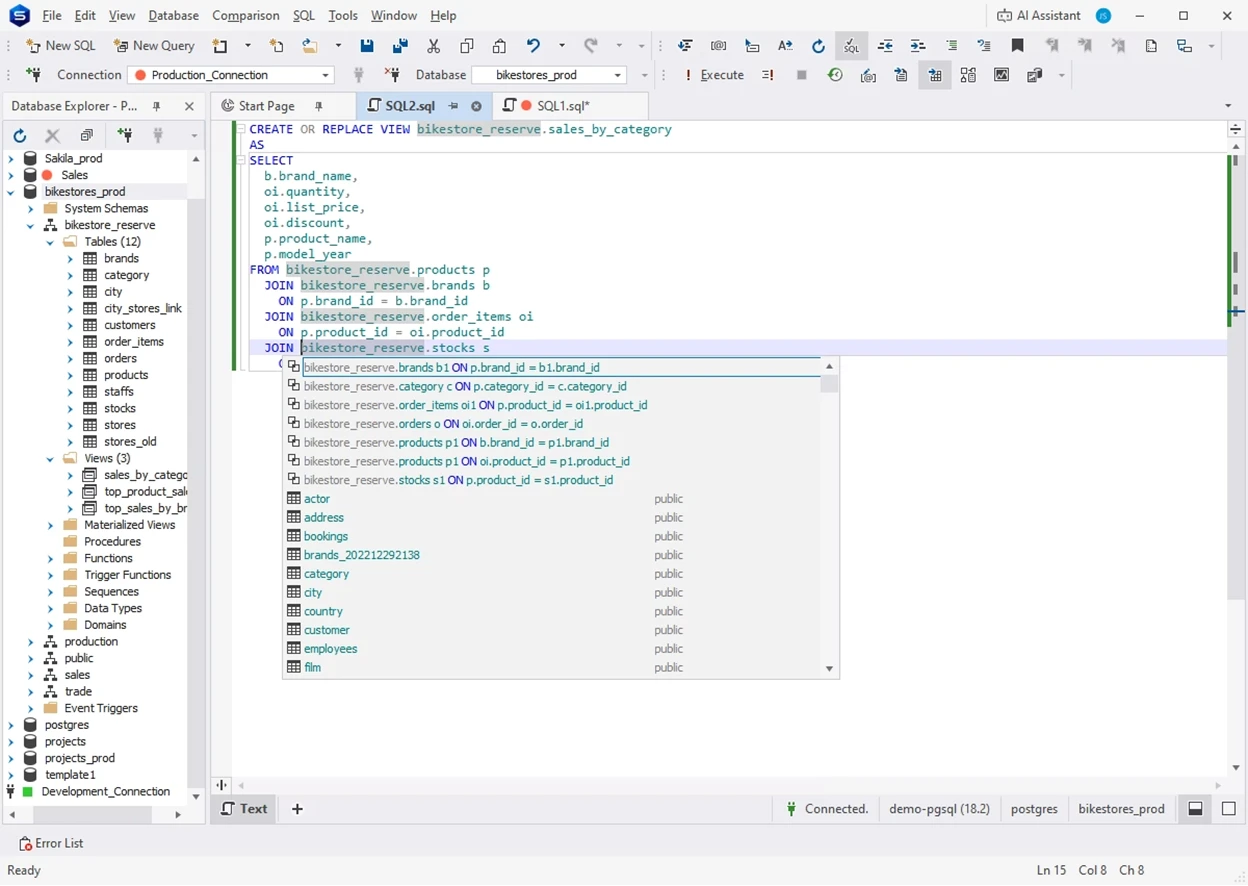
dbForge Studio for PostgreSQL is an AI-powered IDE for PostgreSQL development, management, analysis, automation, and reporting. Because pivot tables and the report designer sit beside the SQL editor, it doubles as one of the more capable PostgreSQL reporting tools and PostgreSQL analytics tools here.
Features
- SQL completion, formatting, refactoring, and a visual Query Builder.
- Query Profiler with plan comparison.
- Schema and data comparison with sync scripts.
- Import/export tools, pivot tables, and reporting.
Pros
- One tool for SQL development, comparison, migration, and reporting.
- Context-aware AI Assistant writes, explains, and optimizes SQL.
- CLI automation for repeatable tasks.
- Meaningful test data generation for realistic development and testing scenarios.
Cons
- No source control integration.
- Some features require the Professional tier.
Price
Express is free. Standard from $89.95 per user per year, Professional from $139.95, with perpetual licences available.
Compatibility
It’s one of the strongest PostgreSQL tools Windows teams can standardise on. However, for macOS and Linux, you need Wine or CrossOver. It works with on-prem PostgreSQL and a wide range of cloud services, including Supabase, Heroku Postgres, TimescaleDB, Amazon RDS and Aurora, and Azure PostgreSQL. Teams working across other database engines can step up to dbForge Edge, which also covers SQL Server, MySQL, MariaDB, and Oracle.
2. pgAdmin

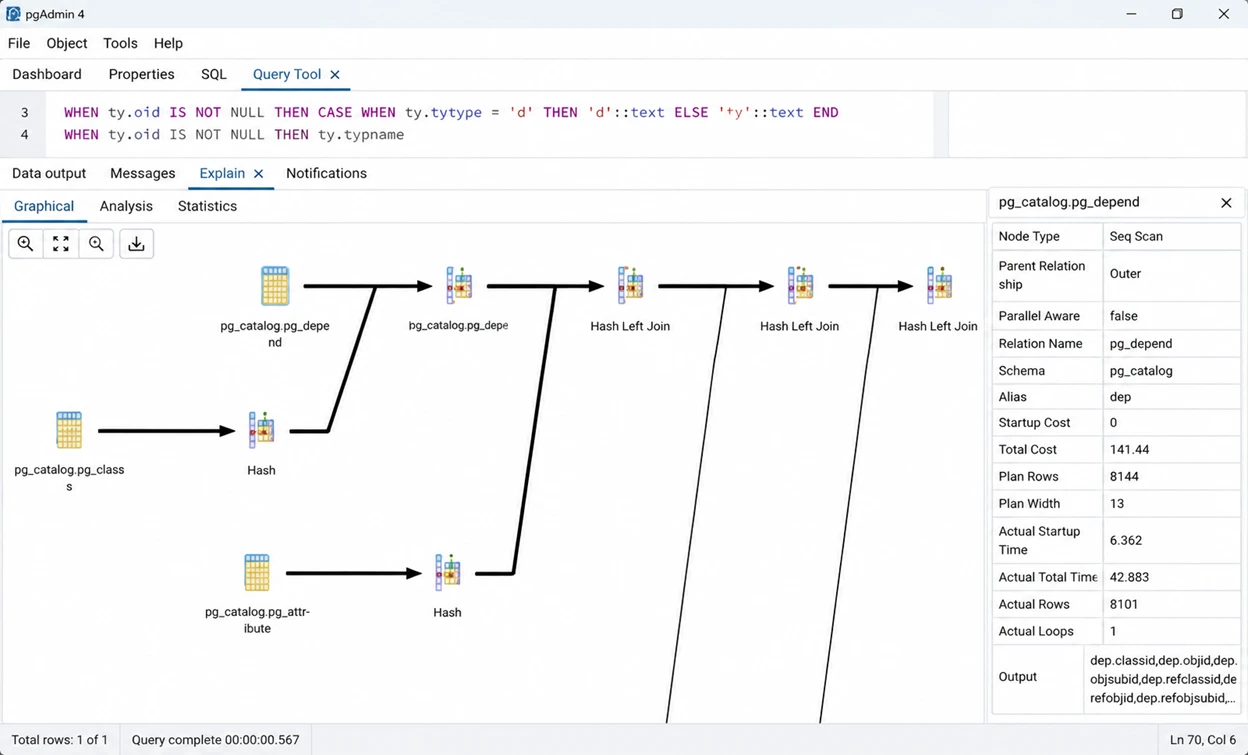
pgAdmin is the official open-source administration platform for PostgreSQL and the first tool most DBAs reach for, with AI assistance added in the 9.x line. Its query tool is the benchmark most PostgreSQL interactive query tools get measured against.
Features
- Object browser and editors for PostgreSQL objects.
- Query tool with autocomplete, history, graphical EXPLAIN.
- Backup, restore, VACUUM, roles, extensions, dashboards.
Pros
- Open source, with fast support for new releases of PostgreSQL.
- Server mode allows teams to work from a browser.
- Graphical EXPLAIN gives a better understanding of the query plans.
Cons
- Web interface slows with large result sets.
- No data comparison.
- Needs regular patching for security fixes.
Price
Free under the PostgreSQL Licence. No paid tier, and no support contract from the project itself.
Compatibility
Windows, macOS, Linux, and Docker, in desktop or server mode. Current version: pgAdmin 4 v9.17.
3. DBeaver

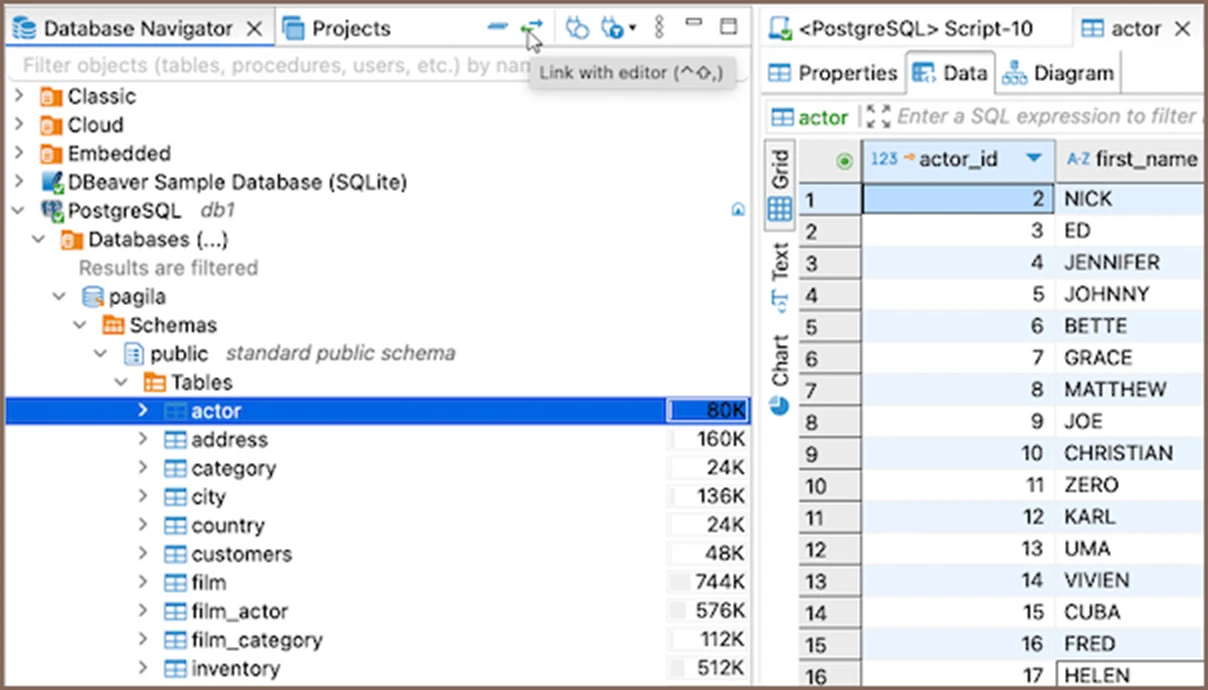
If PostgreSQL is only part of the picture, DBeaver makes more sense. It connects to 120+ databases via JDBC, and the documentation openly admits that PostgreSQL support is extensive, not complete.
Features
- SQL editor, execution plans, editable result sets.
- Data transfer for CSV, JSON, XML, XLSX, and Parquet.
- ER diagrams, (free); Git integration, scheduling (paid).
Pros
- Free Community edition with no limits on core SQL work.
- Supports more engines than most tools here.
- Same experience on Windows, macOS, and Linux.
Cons
- Heavier on memory than lighter clients.
- Autocomplete is weaker than DataGrip on complex SQL.
- Some features need paid plans.
Price
The Community version is free. PRO tiers cost approximately $113 (Lite), $255 (Enterprise) and $510 (Ultimate) per user per year; perpetual licenses are no longer available.
Compatibility
Windows, macOS, and Linux; Java is bundled in the installer (manual Linux installs may need their own JVM). Connects to PostgreSQL and 120+ other systems.
4. DataGrip

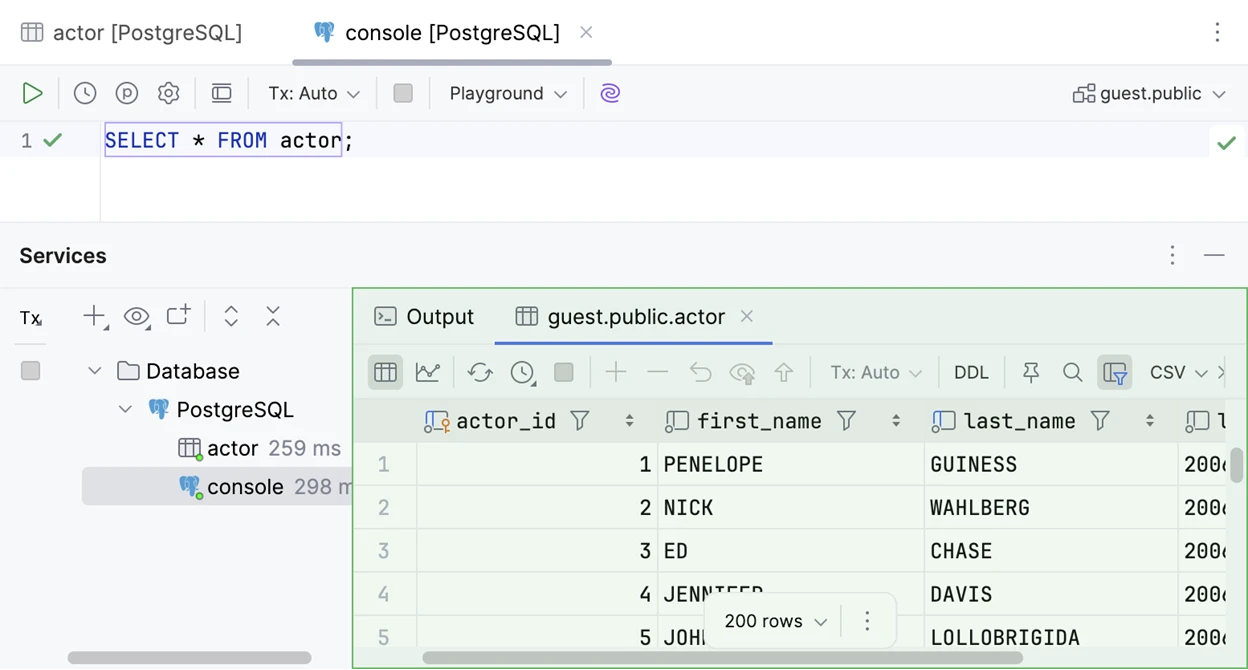
DataGrip is the SQL IDE from JetBrains and is a natural fit for developers already using IntelliJ or PyCharm. The edge is code intelligence, context aware completion of queries and refactoring that renames a column wherever it occurs.
Features
- Completion with alias and CTE resolution.
- Cross-query refactoring and project-wide usage search.
- Execution plans, query history, and built-in VCS integration.
Pros
- Best completion and refactoring after the schema is indexed.
- Free for learning, open source and non-commercial use.
- Version control and diff tooling in the JetBrains platform.
Cons
- Needs 8 GB of RAM (3 GB available for the IDE), and a slow first index.
- No DBA tooling: no backup mgmt, no schema sync.
- No continuity discount for organisation licenses.
Price
Free for non-commercial use. Commercial licenses start at $10.90/month, or $29.90/month with the All Products Pack.
Compatibility
Windows, macOS, and Linux. Works with PostgreSQL and 50+ relational databases.
5. Navicat for PostgreSQL

Navicat for PostgreSQL is a GUI that focuses on administration, modeling and data management. iOS app for quick remote checks. The main disadvantage is cost.
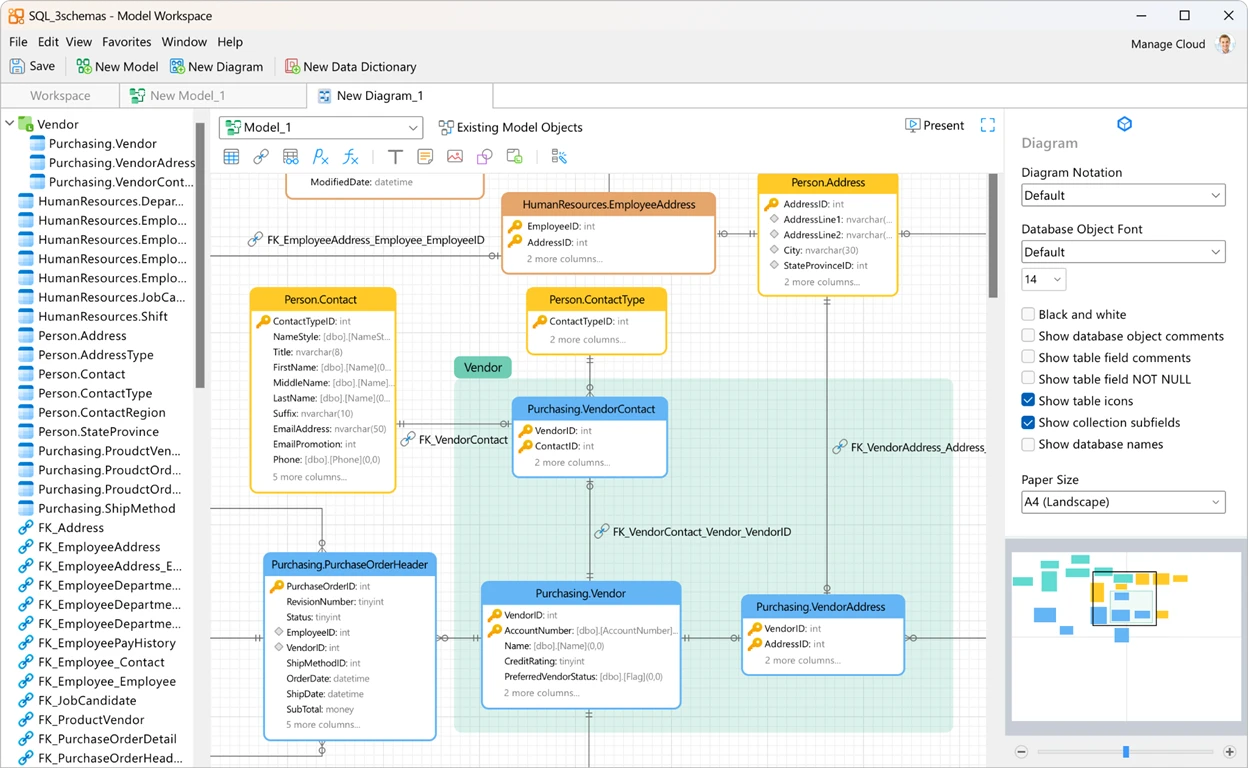
Features
- SQL editor and visual query builder.
- Forward and reverse engineering.
- Data transfer, schema sync, backups, dashboards.
Pros
- Good data modelling and ER diagrams.
- Makes data transfers and schema sync straightforward.
- Handy iOS app for checking databases on the go.
Cons
- Expensive next to most tools here.
- Separate licenses per database engine.
- Some Windows and macOS platform differences.
Price
Pricing starts at $14.99/month or $149.99/year, with a $299 perpetual licence. There’s also an Enterprise edition.
Compatibility
Windows, macOS, Linux, and iOS. Connects to on-prem Postgres plus RDS, Aurora, Azure, and Google Cloud.
6. DbVisualizer

DbVisualizer is a general purpose SQL client with 25 years of development and real support for PostgreSQL objects, not just generic JDBC support. It’s written in Java and runs on the JVM so the features are the same across the three desktop platforms.
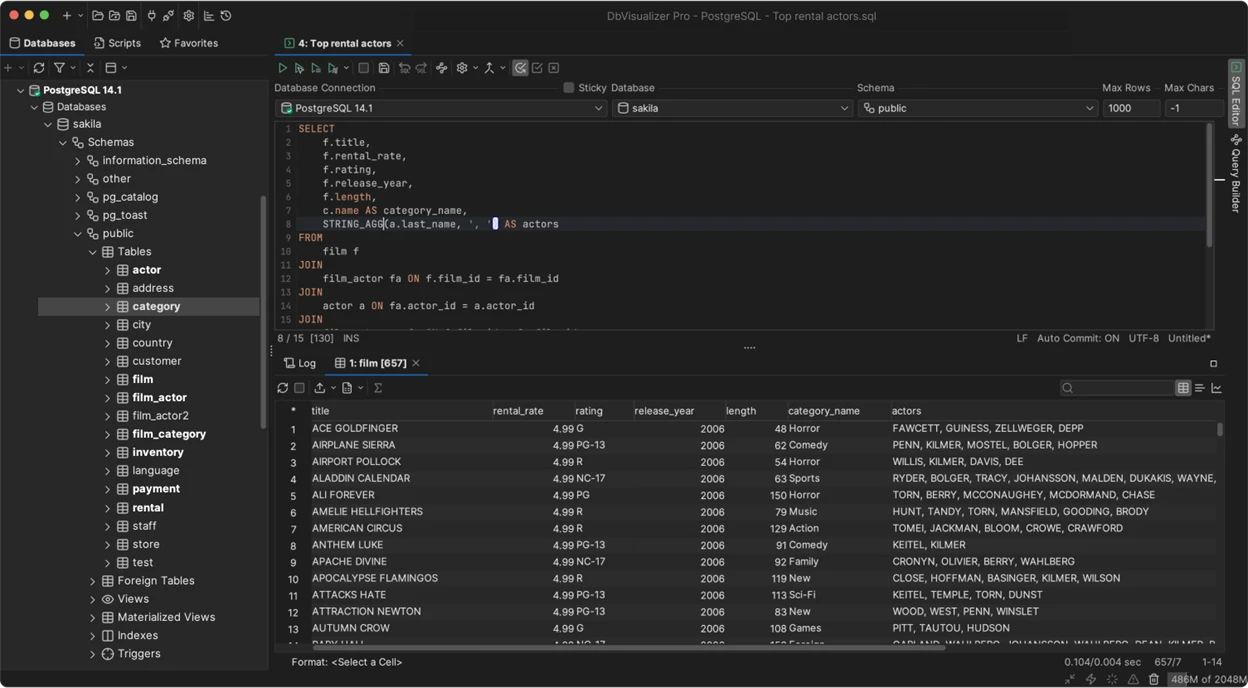
Features
- SQL editor with autocomplete, history, editable results.
- Object browser with PostgreSQL-specific actions.
- Built-in AI assistant and native Git integration for SQL scripts.
Pros
- Identical behaviour on all three desktop platforms.
- Postgres-specific object support, not generic table browsing.
- Pro licence stays usable for every version released during the subscription.
Cons
- Free edition is noticeably thinner than DBeaver Community.
- No schema comparison or synchronisation workflow.
- JVM startup time and memory footprint.
Price
A free edition exists. Pro runs roughly $199 per user for year one and renews near $89; Premium with priority support is about $229 for year one.
Compatibility
Windows, macOS, and Linux. Supports PostgreSQL plus 70+ engines including Snowflake and BigQuery.
7. Beekeeper Studio

If you only want a clean SQL editor and table browser without a full DBA toolkit, Beekeeper Studio is a good fit. The Community edition is completely open source and the paid plans add cloud workspaces, AI capabilities and team sharing.
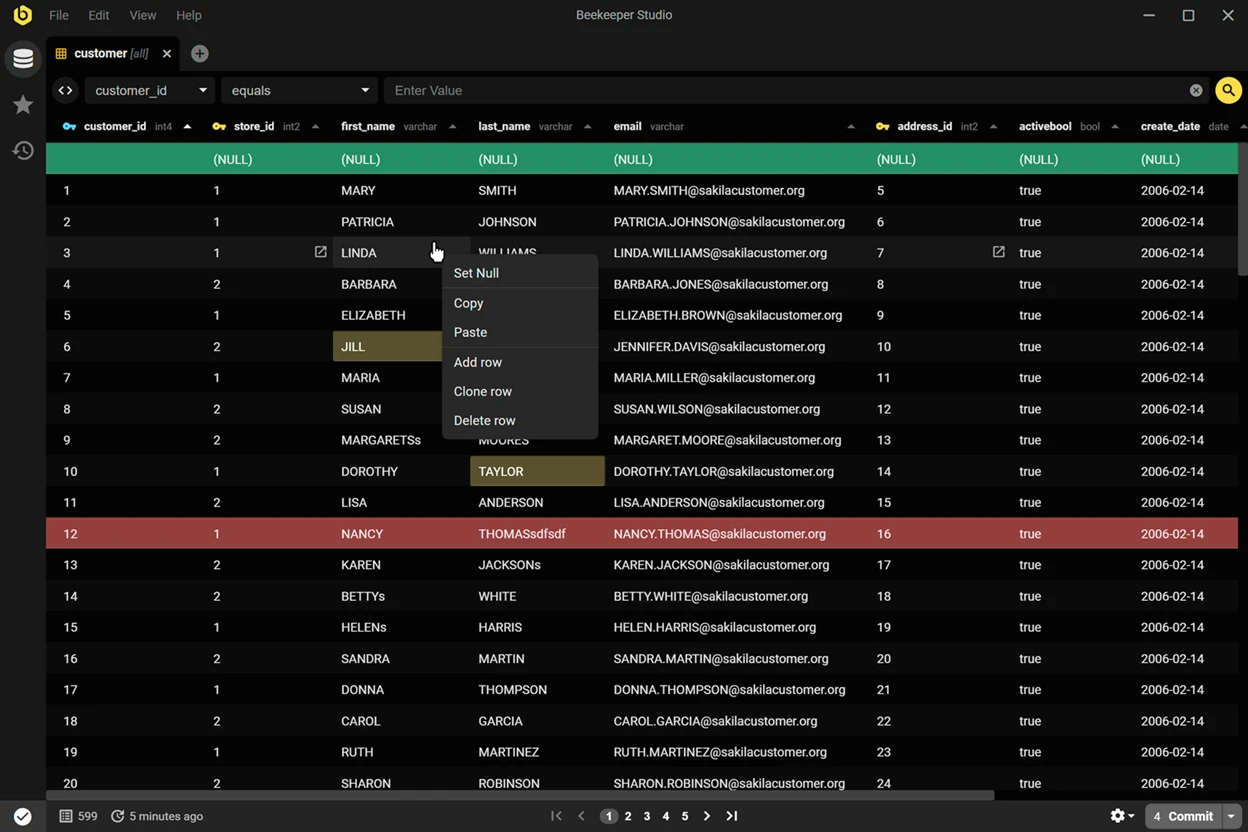
Features
- Tabbed SQL editor with autocomplete and saved queries.
- Spreadsheet-style editing, with a chance to review changes before committing.
- Encrypted connections, SSH tunnelling, and sharing in the paid plans.
Pros
- Clean, fast interface with almost no learning curve.
- Community edition is genuinely open source and free.
- First-class Linux support, not an afterthought build.
Cons
- No schema comparison, profiling, or migration tooling.
- ERD sit behind paid tiers.
- Fewer engines than DBeaver or DbVisualizer.
Price
The Community edition is free. Paid plans run roughly $9 per user per month (Indie), $14 (Professional), and $18 (Business) billed annually.
Compatibility
Windows, macOS, and Linux with native builds. Works with PostgreSQL, MySQL, SQLite, and SQL Server and 20+ other databases.
8. TablePlus

TablePlus is a native database client built for fast everyday work. It is lightweight and is sold as a one-time licence instead of a subscription.
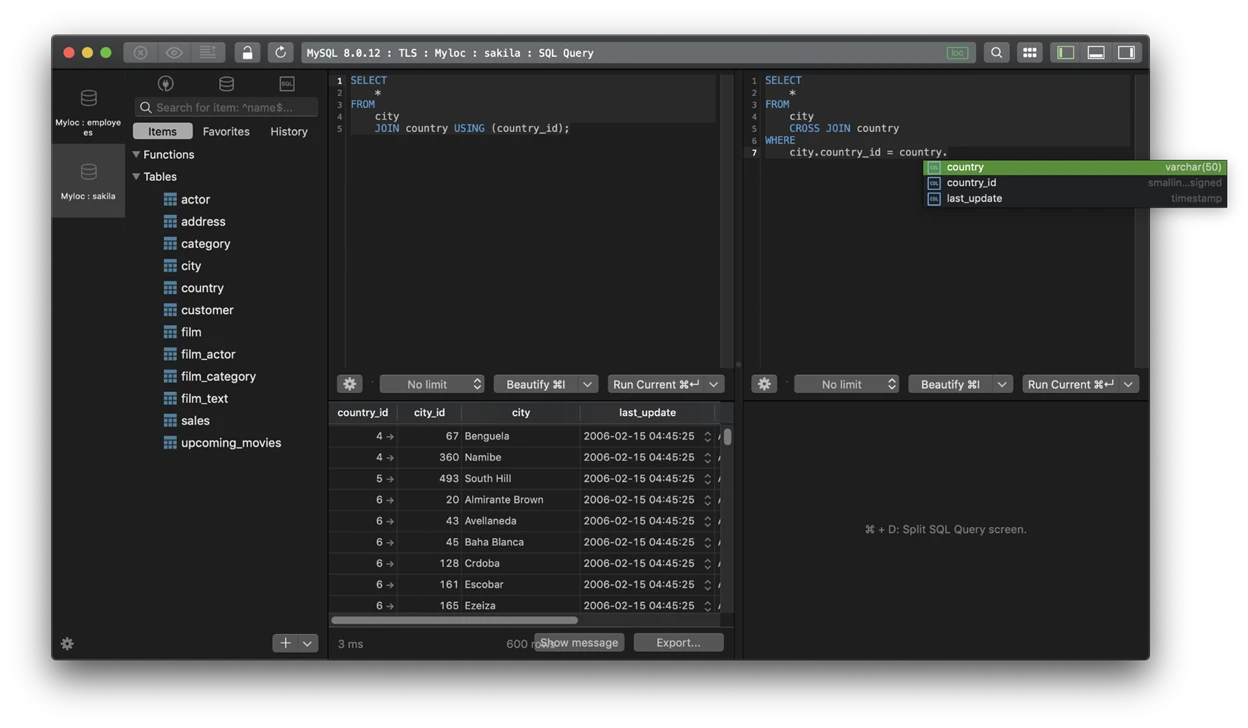
Features
- Inline data editing with safe commits.
- Multiple tabs and SSH tunneling.
- Query filters, snippets, change review.
Pros
- Fast startup and smooth table editing.
- One-time licence, no recurring fees.
- Clean native interface, strong keyboard support.
Cons
- License is per device.
- Windows and Linux versions lag behind macOS.
- No built-in schema sync, profiling, or migration tools.
Price
The free version limits tabs and connections. Paid licences start at $99 (Basic, 1 device) or $79/seat for Team (3-seat minimum), and include a year of updates; renewals are optional.
Compatibility
macOS, Windows, and iOS, with Linux. Also covers MySQL, SQLite, SQL Server, Redis, and MongoDB.
9. Bytebase

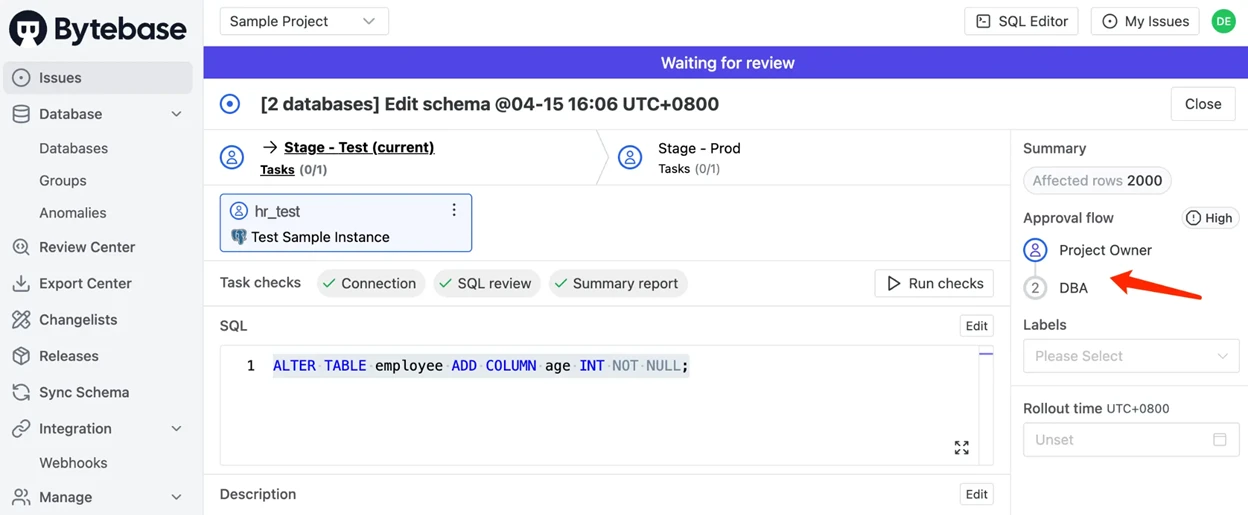
Bytebase is not a SQL client. It belongs with PostgreSQL schema migration tools: developers submit migrations, reviewers approve them, and Bytebase deploys across environments with a full audit trail. Built for teams needing more control than a folder of SQL files.
Features
- Policies for reviewing SQL and checks for deployment.
- Multi-environment migration workflows
- GitOps support and schema drift detection.
Pros
- Approval workflows, rollback, and change history.
- GitOps integration with GitHub, GitLab, and Bitbucket.
- Adds governance most database clients lack.
Cons
- It also includes a built-in SQL Editor for querying and editing data, but it is not meant for performance tuning.
- requires team buy-in and a clear review process.
- Some advanced features (e.g. SSO) require paid plans.
Price
Free tier available for small teams. Pro starts around $20/user/month, with enterprise pricing available on request.
Compatibility
Docker, Kubernetes, or Bytebase Cloud. Supports PostgreSQL and other major relational databases.
10. Airbyte

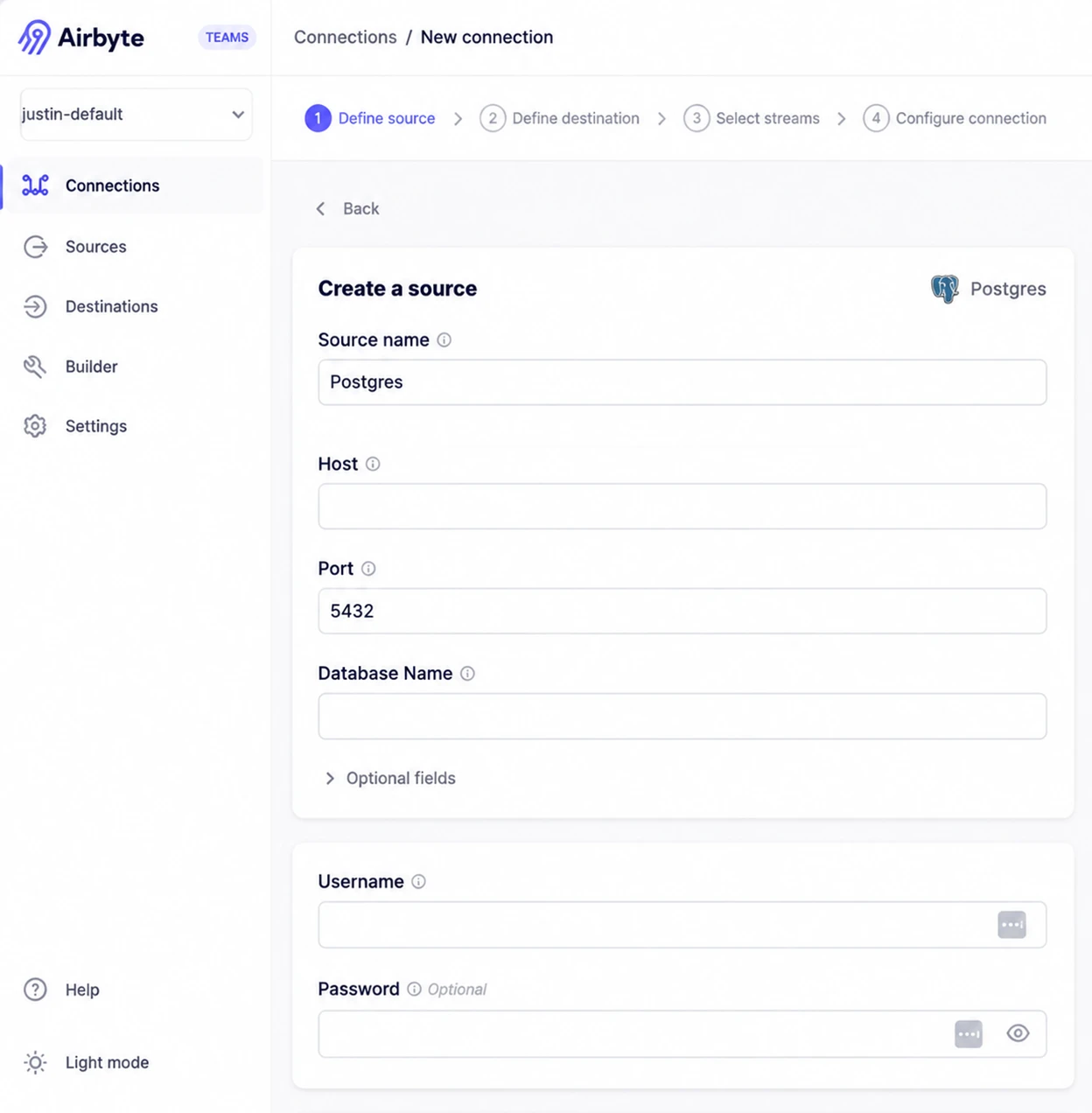
Airbyte moves PostgreSQL data into other systems and ranks among the most widely used PostgreSQL ETL tools. Its connector reaches hundreds of warehouse, lake, and SaaS destinations. Self-hosting is free, putting it near the top of most shortlists for free ETL tools for PostgreSQL; Airbyte Cloud is usage-based.
Features
- PostgreSQL CDC and incremental syncs.
- PostgreSQL destination connector.
- Scheduling, retries, monitoring, dbt integration.
Pros
- Support for PostgreSQL CDC via logical replication.
- Free self-hosting version with no licensing fees.
- 600+ Warehouse/Lake/SaaS Connectors.
Cons
- Self-hosting still requires infrastructure and maintenance.
- Cloud prices go up as usage goes up.
- Connector quality varies, test critical workflows.
Price
Self-hosted Airbyte is free. Cloud starts at $10/month billed by data volume, with higher plans priced on capacity.
Compatibility
Docker, Kubernetes, or Airbyte Cloud. Destinations include BigQuery, Snowflake, Redshift, S3, and PostgreSQL.
PostgreSQL tools comparison table: Features, use cases, platforms, and pricing
Every tool above on the dimensions that decide the purchase. Where a capability depends on edition, the cell says so.
PostgreSQL tools comparison table: Features, use cases, platforms, and pricing
Every tool above on the dimensions that decide the purchase. Where a capability depends on edition, the cell says so.
PostgreSQL tools compared
| Tool | Tool type | AI assist | Migration / ETL | Monitoring / tuning | Backup / CDC | Platforms |
| dbForge Studio for PostgreSQL | IDE / GUI | Yes, context-aware | Visual import/export | Query Profiler, plan comparison | Schema/data compare, CLI | Windows native; macOS/Linux via Wine |
| pgAdmin | Open-source GUI | Yes (9.x) | Limited | Graphical EXPLAIN | Native backup/restore wrappers | Windows, macOS, Linux, server mode |
| DBeaver | GUI client | There is basic in free, advanced in paid tiers for now | Import/export, by edition | By edition | Limited | Windows, macOS, Linux |
| DataGrip | SQL IDE | Add-on | Limited | Query plan tools | No | Windows, macOS, Linux |
| Navicat for PostgreSQL | GUI client | Yes | Data transfer, structure sync | Limited | Scheduled backup jobs | Windows, macOS, Linux, iOS |
| DbVisualizer | SQL client | Yes | Import/export | Limited | No | Windows, macOS, Linux |
| Beekeeper Studio | GUI client | Paid tiers | Limited | No | No | Windows, macOS, Linux |
| TablePlus | GUI client | No | Limited | No | No | macOS, Windows, iOS; Linux |
| Bytebase | DevOps / schema migration | Review assistance only in SQL | Schema migration flows | Review, drift detection | Rollback, change control | Self-hosted or cloud |
| Airbyte | Data integration | Connector Builder (beta) | Yes | No | CDC via logical replication | Docker, Kubernetes, cloud |
How to choose the best PostgreSQL tool for your workflow
The right PostgreSQL tool depends on your team’s workflow, not a product’s feature count. Start with the problems you need to solve:
- Daily SQL development: Heavy authoring rewards a full IDE; occasional lookups are better served by lightweight PostgreSQL interactive query tools such as TablePlus or Beekeeper Studio.
- Schema changes and deployments: If your team changes production databases often, prioritize safer migrations with fewer manual steps. That is the argument for PostgreSQL migration tools like Bytebase, which add review gates and rollback, and for the PostgreSQL schema migration tools built into an IDE when approval is informal. Judging the best PostgreSQL database migration tools at scale comes down to audit trails and multi-environment rollout, not feature count.
- Data movement: One-off table loads are covered by the data migration tools for PostgreSQL built into most IDEs. Continuous warehouse loads belong to PostgreSQL ETL tools like Airbyte, and anyone shortlisting the best PostgreSQL ETL tools should test connector reliability first. Legacy modernisation is separate: Oracle to PostgreSQL migration tools such as AWS DMS handle heterogeneous conversion.
- Replication and change capture: Native streaming and logical replication cover most needs, so dedicated PostgreSQL replication tools are rarely necessary. For row-level change streams, CDC tools for PostgreSQL are the right category, and Debezium leads the best change data capture tools for PostgreSQL. Third-party PostgreSQL database replication tools earn their overhead mainly across regions or engines.
- Production performance: Decide whether you need to optimize individual queries or watch the database as a whole. IDE-based PostgreSQL performance tuning tools and PostgreSQL query optimization tools, like the dbForge Query Profiler, handle the first job. The second belongs to PostgreSQL performance monitoring tools such as pganalyze, which correlate query history, index usage, and VACUUM behaviour over weeks. Separate those needs before comparing the best tools for PostgreSQL performance tuning, because point-in-time PostgreSQL performance optimization tools and continuous PostgreSQL monitoring tools rarely ship together.
Takeaway: Which PostgreSQL tool should you choose?
There is no single best answer. It depends on how much of the lifecycle your team owns.
If you need one environment covering SQL development, profiling, data editing, schema and data comparison, PostgreSQL reporting tools, and CLI automation, dbForge Studio for PostgreSQL is the broadest option here. Start with free Express, then move to Professional when comparison and automation join your release process.
Not every team needs an all-in-one tool. If you’re mainly building pipelines, look at Airbyte. For change data capture, Debezium is a better fit. pganalyze focuses on production tuning, pgBackRest on backups, and Bytebase on schema governance.
If you’re looking for a broader PostgreSQL IDE, try dbForge Studio for PostgreSQL for free. If schema comparison or data migration is all you need, the wider Devart PostgreSQL tools range is worth a look.